

Figma AI features 2026 are transforming modern UI UX design workflows by deeply integrating artificial intelligence into the design process. What was once a manual and time-consuming workflow is now becoming faster, smarter, and more automated.
Figma is no longer just a design tool. It is evolving into an AI-powered platform that helps designers generate layouts, improve components, and streamline collaboration.
For UI UX designers, agencies, and product teams, this shift means faster delivery, better consistency, and more scalable design systems.
What’s New in Figma AI Features 2026
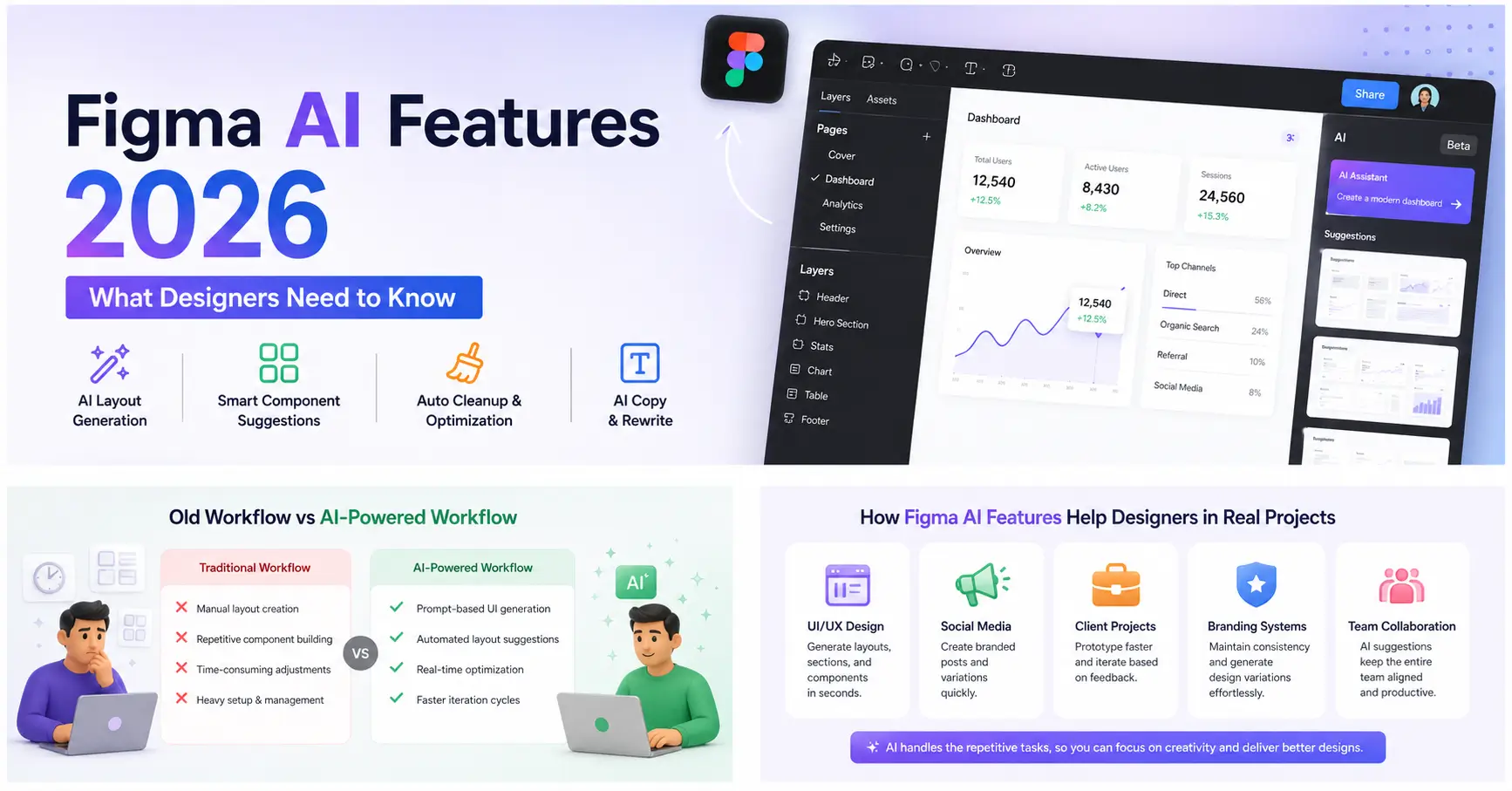
The newest Figma AI tools update introduces a suite of AI‑powered capabilities that redefine design creation and collaboration. Designers can now generate layouts directly from text prompts, receive smart component suggestions based on project context, and optimize design systems automatically. Real‑time content rewriting for UI copy and predictive prototyping further enhance workflows.
Instead of relying solely on manual adjustments, teams can now lean on AI to handle repetitive tasks. This frees up creative energy for refining ideas and delivering polished results. The combination of automation and intelligence makes Figma a platform that adapts to the needs of both individual designers and large agencies.
Why This Update Matters for Designers & Agencies
The impact of Figma’s AI evolution goes far beyond convenience. It directly changes how design teams operate and deliver work.
1. Productivity Boost
Designers can now generate UI layouts in seconds rather than hours using Figma automation features. Early‑stage design, which traditionally consumed significant time, is accelerated dramatically. This allows professionals to move quickly from concept to refinement.
2. Workflow Optimization
AI handles repetitive structure work, enabling teams to focus on ideation and creative problem‑solving. Instead of building every component manually, designers can refine AI‑generated layouts and ensure they align with brand identity with Figma AI tools.
3. Business Value
Agencies benefit from faster delivery times and the ability to manage more clients without expanding team size. Reduced bottlenecks mean smoother project pipelines and higher profitability.
Download Figma Mockup
Download premium Figma (fig) mockups with sharp details and professional layouts. Perfect for client demos, portfolios, and product launches.
Figma AI Features Practical Use Cases
These Figma AI features are already changing real-world workflows:
UI/UX Design
- Generating dashboard layouts instantly
- Creating responsive web sections from prompts
- Auto-aligning design systems
Social Media Content
- Quick creation of branded post templates
- Consistent layout variations for campaigns
Client Projects
- Faster mockups for presentations
- Rapid iteration based on client feedback
Branding Systems
- Auto-generating design variations
- Maintaining consistency across multiple platforms
Old Workflow vs AI-Powered Workflow
Figma AI features are already reshaping real design workflows across industries.
Traditional Workflow
- Manual layout creation
- Repetitive component building
- Time-consuming adjustments
- Heavy dependency on design systems setup
AI-Powered Workflow
- Prompt-based UI generation
- Automated layout suggestions
- Real-time optimization
- Faster iteration cycles
The difference is not just speed, it is scalability.
💡 Related Post: Learn how to use a professional iPhone mockup for your design projects. Read the full article
How Templates Fit Into This Workflow
Even with AI advancement, templates still play a critical role in professional design workflows.
High-quality PSD and Figma templates help designers:
- Speed up project kickoffs
- Maintain consistent structure
- Deliver client work faster
- Reduce repetitive setup work
Platforms like ModernPSD provide ready-to-use design foundations that pair perfectly with AI-assisted workflows inside tools like Figma and even complement traditional editing in Adobe Photoshop.
AI handles generation, but templates ensure structure, consistency, and production readiness.
Conclusion
Figma’s AI features in 2026 represent a major shift in how modern design workflows operate. From automated layouts to smarter collaboration tools, designers now have more speed and flexibility than ever before.
However, the real advantage comes from combining AI tools with structured design assets like templates and UI kits. This hybrid workflow is becoming the standard for agencies and professional designers.
Staying updated with these changes is no longer optional. It is essential for staying competitive in a fast-moving design industry.